The Best Smart Plugs: The Easiest Way to Make Any Lamp or Appliance Smart
The best smart plugs for Alexa, Google and Apple Home, which ones track energy use, what you can and can't plug in, and 12 clever ways to use them.
We earn a commission if you buy through links on this page, at no extra cost to you. Learn more.
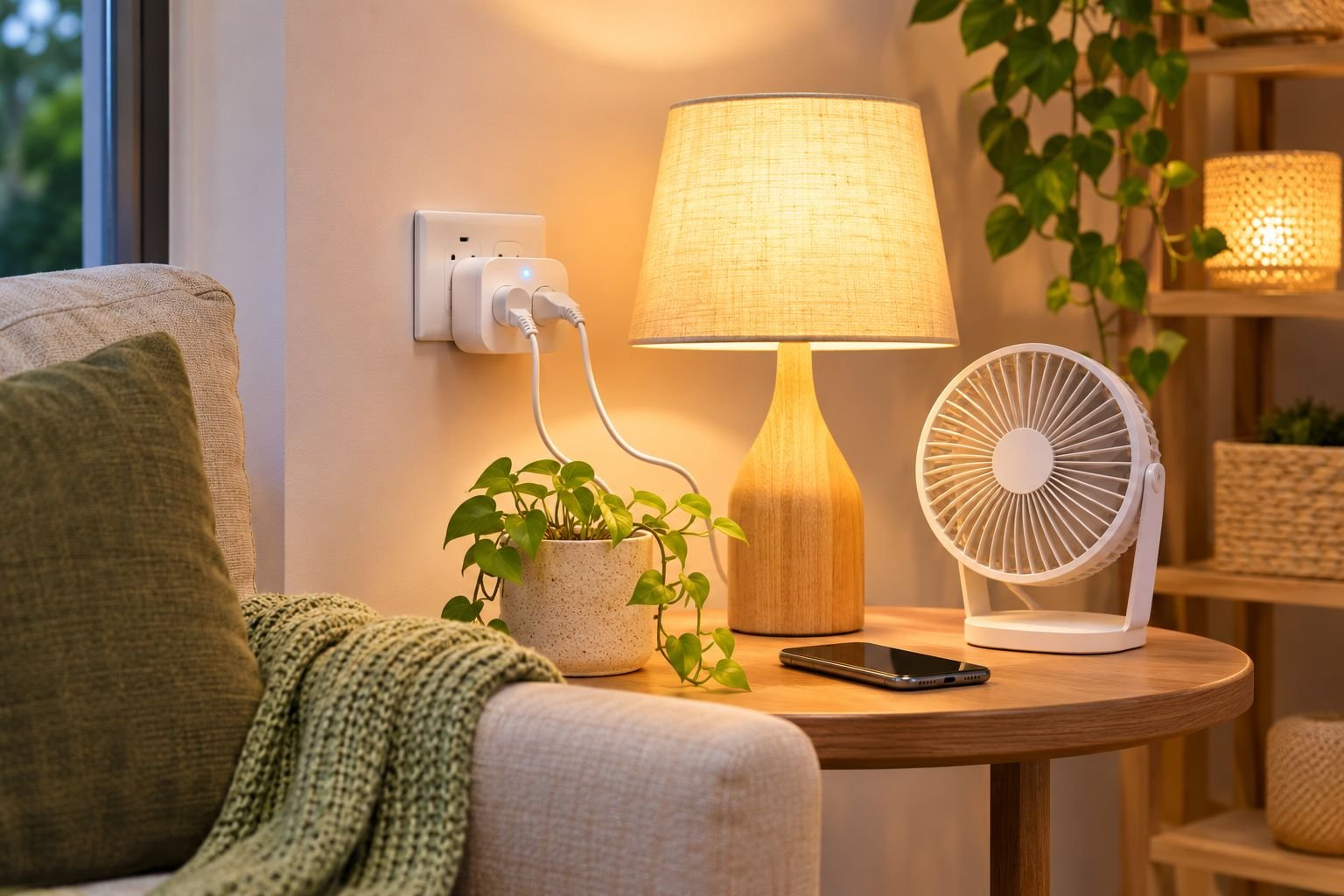
The short answer
For most homes, the Kasa KP125M is the best smart plug: it's Matter-certified, so it works with Apple Home, Google Home, Alexa and SmartThings, and it tracks how much power a device uses. On a budget, the Kasa EP10 mini is one of Amazon's best-selling plugs and costs very little. Alexa users wanting the simplest setup can use the Amazon Basics smart plug. In Australia, buy a plug made for Australian sockets. Our Australian links show local models, because US plugs don't fit and aren't rated for 230–240V.
- A smart plug makes any lamp, fan, heater or coffee machine controllable by app, voice or schedule.
- Matter plugs work with every major smart home system, so you're not locked in.
- Energy monitoring helps you find standby power hogs.
- Check the plug's maximum load before using it with heaters or kettles.
- Smart plugs only switch power on and off. The device needs a physical switch left on.
If you’re new to smart home gadgets, start with a smart plug. It’s cheap, it takes two minutes to set up, and it instantly makes almost anything with an on/off switch smart. Lamps switch on at sunset, the coffee machine is warm when you wake up, and the heater turns off if you forget.
This guide picks the best smart plugs, explains which features matter, and gives you a list of clever ways to use them.
All picks were checked on Amazon US and Amazon Australia. Smart plugs are country-specific, so Australian readers are shown local models.
Our picks at a glance
| Feature | Best budgetKasa Smart Plug Ultra Mini (EP10, 2-pack) | Best overallKasa Matter Smart Plug with Energy Monitoring (KP125M, 2-pack) | Easiest for AlexaAmazon Basics Smart Plug (works with Alexa) |
|---|---|---|---|
| Best for | Cheap, simple on/off control and schedules for lamps and small appliances | Most homes; works with Apple, Google, Alexa and SmartThings and tracks power use | Alexa households that want the simplest possible setup |
| Price band | Budget | Mid-range | Budget |
| Works with | Alexa, Google | Apple, Google, Alexa, SmartThings | Alexa |
| Matter | No | Yes | No |
| Energy monitoring | No | Yes | No |
| Where to buy | Check price | Check price | Check price |
Best overall: Kasa KP125M Matter smart plug
The KP125M is Matter-certified, so it works with Apple Home, Google Home, Alexa and SmartThings. That means you won’t need to replace it if you change phones or smart speakers. It also has energy monitoring, so the app shows how much power each device uses, which is handy for spotting standby power hogs. No hub is needed.
The trade-offs: it’s a little bulkier than the mini plug, and it’s a US plug, so our Australian link shows Matter plugs made for Australian sockets.
Best budget: Kasa EP10 Ultra Mini
If you just want on/off control and schedules, the EP10 is one of Amazon’s best-selling smart plugs, with more than 40,000 ratings at 4.5 stars. It’s tiny, so it doesn’t block the second socket, and it works with Alexa and Google without a hub.
The trade-offs: there’s no energy monitoring and no Matter support.
Easiest for Alexa: Amazon Basics smart plug
If your home runs on Alexa, this is the simplest smart plug there is. It sets up directly in the Alexa app in seconds, with no extra brand app or account, and works with voice commands, schedules and Alexa routines.
The trade-offs: it only works with Alexa.
12 clever ways to use a smart plug
| Plug in a… | Set it up to… |
|---|---|
| Table or floor lamp | Turn on at sunset and off at bedtime |
| Coffee machine | Be ready when your alarm goes off (leave the switch on and water in) |
| Fan | Switch on when you say “I’m hot” or at a set temperature |
| Electric blanket | Warm the bed 20 minutes before bedtime |
| Christmas lights | Run on a schedule all season |
| TV and console | Cut standby power overnight |
| Phone or tool chargers | Stop charging overnight |
| Dehumidifier | Run during off-peak hours |
| Aquarium light | Keep a steady day/night cycle |
| Holiday lamp | Use “away mode” to look lived-in |
| Kids’ devices | Switch off at bedtime |
| Grow light | Give plants a steady 12–14 hours |
Turning off standby devices adds up. The US Department of Energy notes that you can cut standby power by unplugging products you don’t need left on. A smart plug does that automatically.
How to choose a smart plug
- Your smart home system. Matter plugs work with everything; otherwise check for Alexa, Google or Apple Home support.
- Energy monitoring. Worth it for heaters, TVs, fridges in the garage and anything you want to track.
- Size. Mini plugs leave the second socket free.
- Load rating. Check the maximum load before plugging in heaters, kettles or air fryers.
- Your country’s sockets. US, UK and Australian plugs aren’t interchangeable. In Australia, choose plugs made for local sockets and 230–240V.
- Wi-Fi band. Most plugs need 2.4 GHz Wi-Fi.
Safety tips
- Don’t exceed the plug’s maximum load, and never daisy-chain power boards into a smart plug for high-power devices.
- Don’t use smart plugs for devices that could be dangerous if they switched on unattended, like irons, hair straighteners, or heaters without tip-over and overheat protection.
- Keep smart plugs dry, and use outdoor-rated plugs outside.
- In Australia, choose plugs sold for Australian sockets with local electrical approval.
Smart home next steps
Smart plugs pair perfectly with smart light bulbs for whole-room scenes, and with a video doorbell and smart lock for a smarter front door.
Common questions
What is a smart plug used for?
A smart plug sits between your wall socket and a device, letting you turn it on and off from your phone, by voice, on a schedule or automatically. It's the cheapest way to make lamps, fans, heaters, coffee machines and Christmas lights smart.
Do smart plugs save electricity?
They can. Turning off devices that sit on standby, like TVs, consoles and printers, cuts wasted "phantom" power. Smart plugs with energy monitoring show you exactly which devices use the most.
What should you not plug into a smart plug?
Avoid devices that draw more than the plug's rated load, and anything that shouldn't switch on unattended, like irons, hair straighteners or space heaters without tip-over and overheat protection. Fridges and medical equipment shouldn't be on smart plugs either.
Do smart plugs need a hub?
Most Wi-Fi and Matter-over-Wi-Fi smart plugs don't. Some Zigbee or Thread plugs need a hub or a compatible speaker or display.
Can I use a US smart plug in Australia?
No. US plugs don't fit Australian sockets and are made for 120V, not 230–240V. Buy plugs made for Australian sockets, ideally with Australian electrical safety approval.
What does Matter mean on a smart plug?
Matter is a smart home standard backed by Amazon, Apple, Google and Samsung. A Matter plug works with Apple Home, Google Home, Alexa and SmartThings, so you can switch systems without replacing it.
Why won't my smart plug connect?
Most smart plugs only connect to 2.4 GHz Wi-Fi. If your router combines 2.4 and 5 GHz under one name, set up the plug close to the router, or temporarily separate the bands.
Sources
Keep reading
The Best Smart Light Bulbs: Colour, Warm White and No-Hub Picks
The best smart light bulbs for every budget, Wi-Fi vs Hue Bridge, how to pick the right base for your lamps, and easy lighting scenes for every room.
The Best Indoor Security Cameras for Pets, Kids and Peace of Mind
The best indoor security cameras for pets, kids and home monitoring, which work without a subscription, where to put them and how to keep them secure.
The Best Smart Locks: Keyless Front Door Locks for Every Home (and Renters)
The best smart locks for front doors at every budget, keypad vs Wi-Fi vs retrofit explained, security grades, battery life and what to check before you buy.