The Best Smart Locks: Keyless Front Door Locks for Every Home (and Renters)
The best smart locks for front doors at every budget, keypad vs Wi-Fi vs retrofit explained, security grades, battery life and what to check before you buy.
We earn a commission if you buy through links on this page, at no extra cost to you. Learn more.
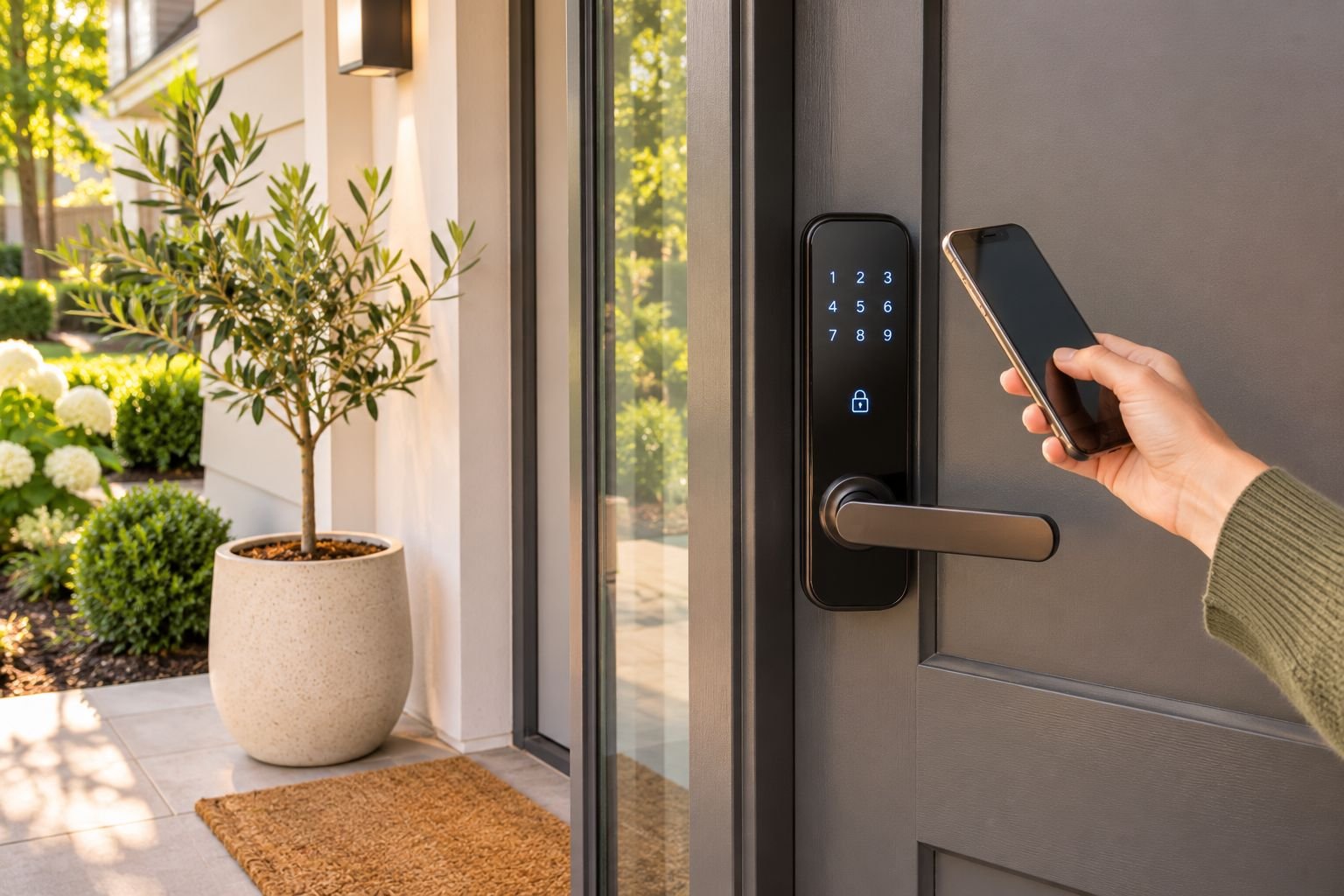
The short answer
For most homes, the ULTRALOQ Bolt SE is the best smart lock: it has built-in Wi-Fi, works with Apple Home, Google Home and Alexa through Matter, and lets you share temporary codes with guests at a mid-range price. On a budget, the TEEHO keypad deadbolt lets you ditch keys for a fraction of the cost, with no app needed. Apple households should look at the Schlage Encode Plus, which unlocks with a tap of your iPhone. Renters can use the August Wi-Fi Smart Lock, which fits over the inside of an existing deadbolt and keeps the same keys.
- Check your door first. Most smart locks replace a standard deadbolt, so measure before you buy.
- Keypad-only locks are cheap and simple. Wi-Fi locks add remote access and guest codes.
- Matter support means the lock works with Apple, Google, Alexa and SmartThings.
- Every good smart lock keeps a physical key or backup way in if the batteries die.
- Install it properly. A strong lock with short screws and a weak strike plate is still easy to force.
A smart lock means no more fumbling for keys with your hands full, no more hiding a spare under the mat, and no more wondering whether you locked the door after you left. You unlock with a code, your phone or even a tap of your watch, and give family, cleaners or guests their own codes that you can switch off any time.
This guide picks the best smart locks for every budget, explains the different types, and covers what to check before you buy, including whether a lock will fit your door.
All picks were checked on Amazon US and Amazon Australia.
Our picks at a glance
| Feature | Best budgetTEEHO TE001 Keyless Entry Keypad Deadbolt | Best overallULTRALOQ Bolt SE Wi-Fi Smart Deadbolt | Best premiumSchlage Encode Plus Smart Wi-Fi Deadbolt |
|---|---|---|---|
| Best for | Ditching keys on a budget, without needing an app or Wi-Fi | Most homes that want app control, codes for visitors and Matter support | Apple users who want tap-to-unlock and a premium, solidly built lock |
| Price band | Budget | Mid-range | Premium |
| Unlock with | Keypad code, key | Keypad, app, voice, key | Keypad, app, iPhone/Watch tap, key |
| App control | No | Yes (Wi-Fi) | Yes (Wi-Fi) |
| Power | AA batteries | Batteries | AA batteries |
| Where to buy | Check price | Check price | Check price |
Best overall: ULTRALOQ Bolt SE Wi-Fi smart deadbolt
The Bolt SE is the sweet spot for most homes. It has Wi-Fi built in, so there’s no separate hub, and it supports Matter, which means it works with Apple Home, Google Home, Alexa and SmartThings. You can unlock with the keypad, the app, your voice or the backup key, and create temporary or scheduled codes for guests, cleaners and tradespeople. It’s rated by more than 10,000 owners in the US.
The trade-offs: Wi-Fi uses more battery than a simple keypad lock, so expect to change batteries more often. The app setup takes a few minutes.
Best budget: TEEHO keypad deadbolt
If you just want to stop carrying keys, you don’t need Wi-Fi or an app. The TEEHO replaces your existing deadbolt with a keypad lock that lets you in with a code. It’s cheap, quick to install and has nearly 25,000 ratings at 4.5 stars, making it one of the most popular keyless locks on Amazon in both stores.
The trade-offs: there’s no app, so you can’t lock it remotely or get alerts, and the build is basic compared with premium locks.
Best premium: Schlage Encode Plus
The Encode Plus is the smart lock for Apple households. With Apple Home Key, you unlock by tapping your iPhone or Apple Watch on the lock, just like a payment card, and it still works if your phone’s battery is low. It has built-in Wi-Fi, a touchscreen keypad and Schlage’s solid build quality, and it also works with Alexa and Google Assistant.
The trade-offs: it’s expensive, and it’s a US-style deadbolt, so Australian buyers should check the fit carefully.
Best for renters: August Wi-Fi Smart Lock
The August fits over the inside of your existing deadbolt and replaces only the thumb-turn. The outside of your door, your lock and your keys all stay the same, so it’s ideal for renters or anyone who doesn’t want to change their hardware. It auto-unlocks as you arrive home and auto-locks behind you.
The trade-offs: there’s no keypad unless you add one, and it only fits compatible single-cylinder deadbolts.
Which type of smart lock do you need?
| Type | How you unlock | Best for | Watch out for |
|---|---|---|---|
| Keypad deadbolt | Code, key | Ditching keys cheaply | No remote access |
| Wi-Fi smart deadbolt | Code, app, voice, key | Most homes; guest codes and alerts | Shorter battery life |
| Fingerprint lock | Finger, code, app | Families and kids | Wet or dirty fingers can fail |
| Retrofit (inside only) | App, auto-unlock, existing key | Renters | Must suit your deadbolt |
| Apple Home Key lock | Tap phone or watch | Apple households | Higher price |
How to choose a smart lock
- Check your door. Note the door thickness, the backset (distance from the door edge to the centre of the lock) and the bore hole size. Most smart deadbolts suit standard US-style deadbolt holes.
- Pick your smart home system. Matter-compatible locks work with Apple, Google, Alexa and SmartThings. Otherwise, check the lock supports the one you use.
- Wi-Fi or Bluetooth? Built-in Wi-Fi gives remote access without a hub; Bluetooth-only locks work when you’re nearby and save battery.
- Look for a backup. A physical key, a 9V emergency battery contact or a second unlock method.
- Check the security grade. For an exterior door, aim for a grade 2 lock or better. This Old House advises Grade 2 or higher for exterior doors, and warns about marketing that claims “Grade 1 features” without an actual Grade 1 rating for the whole lock.
- Guest codes and logs. Temporary codes and an activity history are the features most owners end up using the most.
How to install a smart lock (and make it secure)
- Remove the old deadbolt’s inside and outside parts, keeping the bolt if the instructions say to reuse it.
- Fit the new bolt, then the outside keypad, then the inside unit, feeding the cable through carefully.
- Upgrade the strike plate screws to long 3-inch (75 mm) screws that reach the wall framing. This is what stops a door being kicked in.
- Add batteries, calibrate the lock, and set up your codes in the app.
- Test it several times with the door open and closed before relying on it.
Smart lock tips
- Set auto-lock for 30 seconds to a few minutes after unlocking.
- Give every person their own code so you can see who came and went, and delete codes you no longer need.
- Change batteries when the app warns you, not when the lock stops.
- Keep the backup key somewhere other than your car or bag.
- In Australia, many front doors use mortice locks or entrance sets, so check fit or choose a model sold for local doors.
Building out your smart home? We’re adding guides to smart video doorbells, smart plugs and smart light bulbs next.
Common questions
Are smart locks safe?
A well-made smart lock is about as secure as a good traditional deadbolt, and often harder to pick because there's no keyway to attack on keypad-only models. Choose a reputable brand, keep the app and firmware updated, use strong unique codes, and make sure the strike plate is fitted with long screws.
What happens if a smart lock's batteries die?
Most smart locks warn you in the app and with a light or beep weeks before the batteries run out. If they do die, you can usually use the backup key, or touch a 9V battery to terminals under the keypad on some models to power it long enough to enter a code.
Do smart locks work without Wi-Fi?
Yes. Keypad codes and Bluetooth unlocking work without internet. Wi-Fi only adds remote features like locking from anywhere, live alerts and sharing codes when you're away.
Can I install a smart lock myself?
Most smart deadbolts install with a screwdriver in 20–40 minutes if your door already has a standard deadbolt hole. Retrofit locks like August fit over your existing deadbolt and are even easier.
What is the best smart lock for renters?
A retrofit lock such as the August Wi-Fi Smart Lock. It only replaces the inside thumb-turn, so the outside of the door and your keys stay the same, and you can take it with you when you move. Check your lease and ask your landlord first.
Will a US smart lock fit my door in Australia?
Not always. Many Australian front doors use mortice locks, entrance sets or different backsets and door thicknesses. Check the lock's door thickness, backset and bore size against your door, or choose a model sold for Australian doors.
What does Matter mean on a smart lock?
Matter is a smart home standard that lets one device work with Apple Home, Google Home, Amazon Alexa and Samsung SmartThings, so you aren't locked into one ecosystem.
Sources
Keep reading
The Best Shower Heads for Strong Water Pressure (and Lower Water Bills)
The best shower heads for strong pressure, handheld rinsing and hard water, how flow rates and WELS stars work, and how to install one in 10 minutes.
How to Get Rid of Fruit Flies Fast (and Stop Them Coming Back)
How to get rid of fruit flies in your kitchen in a few days, the DIY vinegar trap that works best, where they're breeding, and the traps worth buying.
The Best Air Fryer Toaster Oven: Combo Picks That Replace Two Appliances
The best air fryer toaster oven combos, how they compare with basket air fryers, what size you need, and which save bench space, with picks for every budget.