The Best Video Doorbells: See Who's There and Never Miss a Delivery
The best video doorbells for every home, battery vs wired, which ones work without a subscription, and how to set one up so it catches parcels, not cars.
We earn a commission if you buy through links on this page, at no extra cost to you. Learn more.
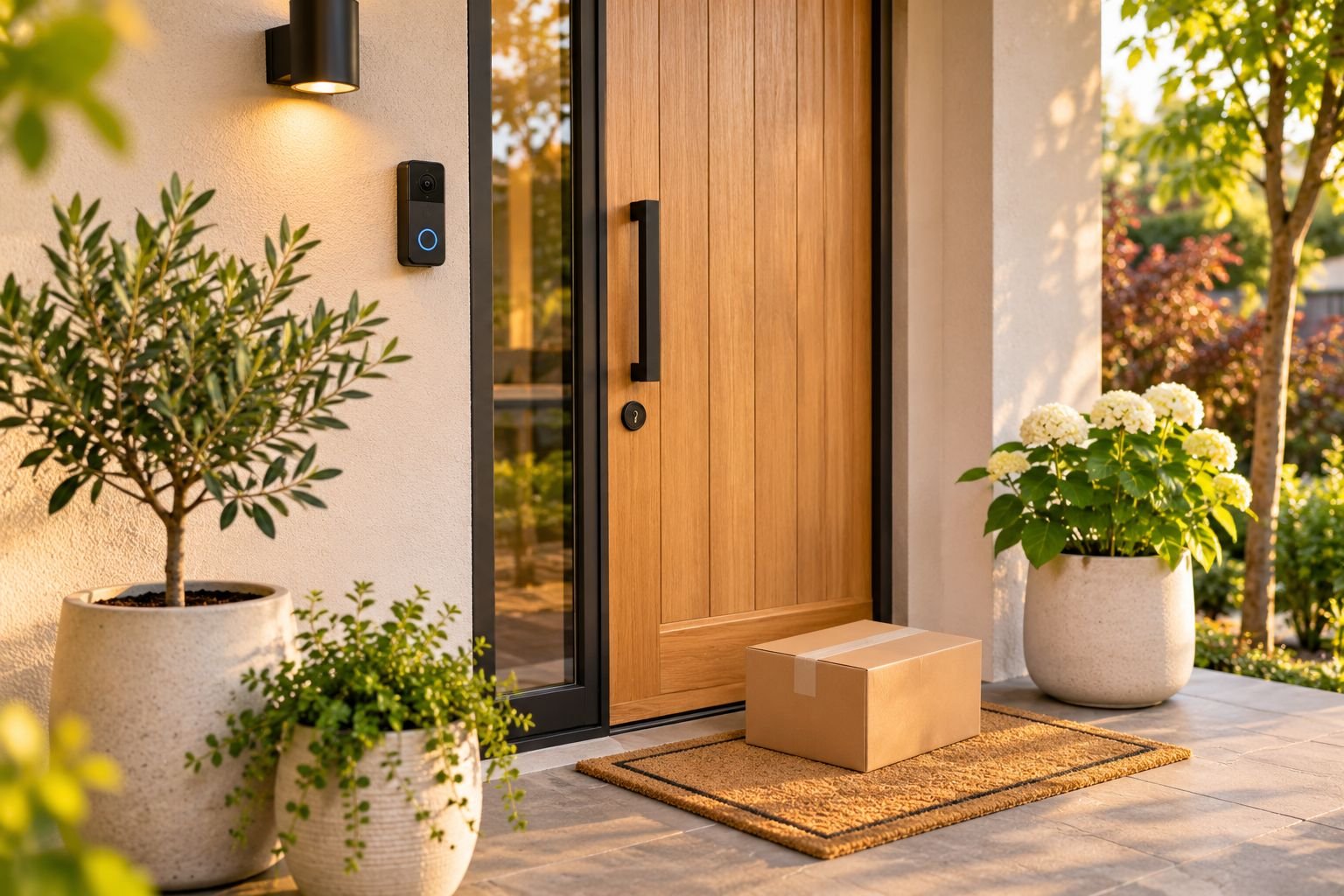
The short answer
For most homes, the Ring Battery Doorbell 2K is the best video doorbell: it needs no wiring, records sharp 2K video and has a polished app, though saving recordings needs a Ring subscription. If you don't want monthly fees, the aosu 5MP doorbell stores video locally on its base station for free. For Google homes, the Nest Doorbell (Battery) has smart alerts for people and parcels and some free event history. Choose battery for easy DIY installs and renters, and wired if you have doorbell wiring and don't want to recharge.
- Battery doorbells install in minutes with no wiring; wired ones never need charging.
- Check subscription costs. Most brands charge to save and replay recordings.
- No-subscription doorbells store video locally on a base station or memory card.
- Pick the brand that matches your smart home: Ring for Alexa, Nest for Google.
- Set motion zones so you get alerts for people at the door, not every passing car.
A video doorbell lets you see who’s at the door from your phone, wherever you are. You can talk to couriers, check on parcels left on the step, and see who came by while you were out. It’s one of the most useful smart home upgrades, and many models install in minutes without any wiring.
This guide picks the best video doorbells for different homes, explains battery vs wired and the real subscription costs, and shows you how to set one up properly.
All picks were checked on Amazon US and Amazon Australia.
Our picks at a glance
| Feature | Best no subscriptionaosu 5MP Wireless Video Doorbell | Best overallRing Battery Doorbell 2K | Best for Google homesGoogle Nest Doorbell (Battery) |
|---|---|---|---|
| Best for | Anyone who wants recordings without paying a monthly fee | Most homes, especially Alexa users and renters with no doorbell wiring | Google Home and Nest users |
| Price band | Mid-range | Mid-range | Premium |
| Power | Battery or wired | Rechargeable battery or wired | Battery or wired |
| Video | 5MP | 2K | HD (head-to-toe view) |
| Subscription | Not required | Needed for recordings | Optional |
| Where to buy | Check price | Check price | Check price |
Best overall: Ring Battery Doorbell 2K
Ring’s newest battery doorbell is the easiest all-rounder. It records sharp 2K video with a wide view, has two-way talk so you can speak to couriers, and runs on a rechargeable battery, so there’s no wiring to deal with. The Ring app is polished and fast, and it works seamlessly with Alexa and Echo Show displays.
The trade-offs: saving and replaying recordings needs a Ring subscription, and the battery needs recharging every few months depending on how busy your door is.
Best no subscription: aosu 5MP doorbell
If monthly fees put you off, the aosu stores video locally on its included base station, so recordings are free. It records very sharp 5MP video and runs on battery or existing doorbell wiring. More than 10,000 owners rate it 4.4 stars.
The trade-offs: the base station has to plug in near your router, and the app’s smart alerts aren’t as polished as Ring’s or Nest’s.
Best for Google homes: Google Nest Doorbell (Battery)
The Nest Doorbell has a tall, head-to-toe view, so you can see parcels at your feet as well as faces. It sends smart alerts for people, packages, animals and vehicles, includes some event history free, and shows live video on Google Nest Hub displays.
The trade-offs: longer history needs a Google subscription, and it’s not the best choice for Alexa homes.
Battery vs wired vs no-subscription
| Type | Install | Pros | Cons |
|---|---|---|---|
| Battery | 10–15 min, no wiring | Easy, renter-friendly, movable | Recharge every few months |
| Wired | 30+ min, uses doorbell wiring | Never needs charging, more continuous recording | Needs compatible wiring and transformer |
| Local storage (no subscription) | Battery or wired, plus a base station | No monthly fees | Base station near router; fewer smart features |
The real cost: subscriptions
Most video doorbells give you live view, motion alerts and two-way talk for free. What usually costs extra is saving and replaying recordings, plus smart features like package alerts. Before you buy, add a year of the subscription to the price. If you don’t want ongoing fees, choose a doorbell with local storage on a base station or memory card.
How to choose a video doorbell
- Power: battery for easy DIY and renters; wired if you already have a doorbell wired to a chime.
- Smart home: Ring for Alexa, Nest for Google, or a Matter-ready brand if you mix systems.
- Field of view: a taller or head-to-toe view shows parcels left on the mat.
- Video quality: 1080p is fine; 2K or 5MP helps you zoom in on faces and number plates.
- Subscription: check what’s free and what isn’t.
- Wi-Fi at the door: test your phone’s Wi-Fi signal at the front door before buying.
How to set up a video doorbell
- Charge the battery fully before installing (battery models).
- Mount it at about 120 cm (48 in) from the ground, angled slightly if your door is to the side of the path.
- Connect it to Wi-Fi in the app while standing at the door.
- Set motion zones around the path and step, and exclude the street and footpath to cut false alerts.
- Adjust sensitivity after a few days of alerts.
- Turn on privacy zones if the camera sees into a neighbour’s window or yard.
Video doorbell tips
- If alerts are slow, move your router closer or add a Wi-Fi extender or mesh node near the door.
- Use a wedge or corner mount to aim the camera down the path.
- Pair your doorbell with a smart lock so you can let in family or deliveries from your phone.
- Recharge the battery when the app warns you, ideally with a spare battery so the door is never unwatched.
Common questions
Do video doorbells need a subscription?
Most work without one for live view, alerts and two-way talk, but saving and replaying recordings usually needs a monthly plan. Doorbells with local storage, like aosu's base station, record for free.
Battery or wired video doorbell?
Battery doorbells are easiest to install and suit renters, but need recharging every few months. Wired doorbells connect to existing doorbell wiring, never need charging and can record more continuously.
Can I install a video doorbell without existing wiring?
Yes. Battery doorbells mount with two screws or an adhesive bracket and connect to your Wi-Fi. Make sure your Wi-Fi reaches the front door; a weak signal is the most common cause of slow or missed alerts.
Ring or Nest, which is better?
Ring suits Alexa homes and has the biggest range of cameras and accessories. Nest suits Google Home and Nest display owners and includes some free history. Both are reliable.
Is a video doorbell good for renters?
Yes, a battery doorbell is ideal. Many have no-drill mounts, and you can take it with you. Check your lease and ask your landlord before drilling.
Do video doorbells work at night?
Yes. All good video doorbells have infrared night vision, and some use a porch light or colour night vision for clearer footage.
Is it legal to record with a video doorbell?
Generally yes for your own property, but avoid pointing it into neighbours' windows or private yards, and check local privacy and surveillance laws. Some places also limit audio recording.
Sources
Keep reading

The Best Indoor Security Cameras for Pets, Kids and Peace of Mind
The best indoor security cameras for pets, kids and home monitoring, which work without a subscription, where to put them and how to keep them secure.
The Best Smart Locks: Keyless Front Door Locks for Every Home (and Renters)
The best smart locks for front doors at every budget, keypad vs Wi-Fi vs retrofit explained, security grades, battery life and what to check before you buy.

The Best Smart Light Bulbs: Colour, Warm White and No-Hub Picks
The best smart light bulbs for every budget, Wi-Fi vs Hue Bridge, how to pick the right base for your lamps, and easy lighting scenes for every room.