The Best Office Chairs for Back Support (and How to Set Yours Up Properly)
The best ergonomic office chairs for lower back support at every budget, which adjustments matter, and a step-by-step setup guide for home offices.
We earn a commission if you buy through links on this page, at no extra cost to you. Learn more.
The short answer
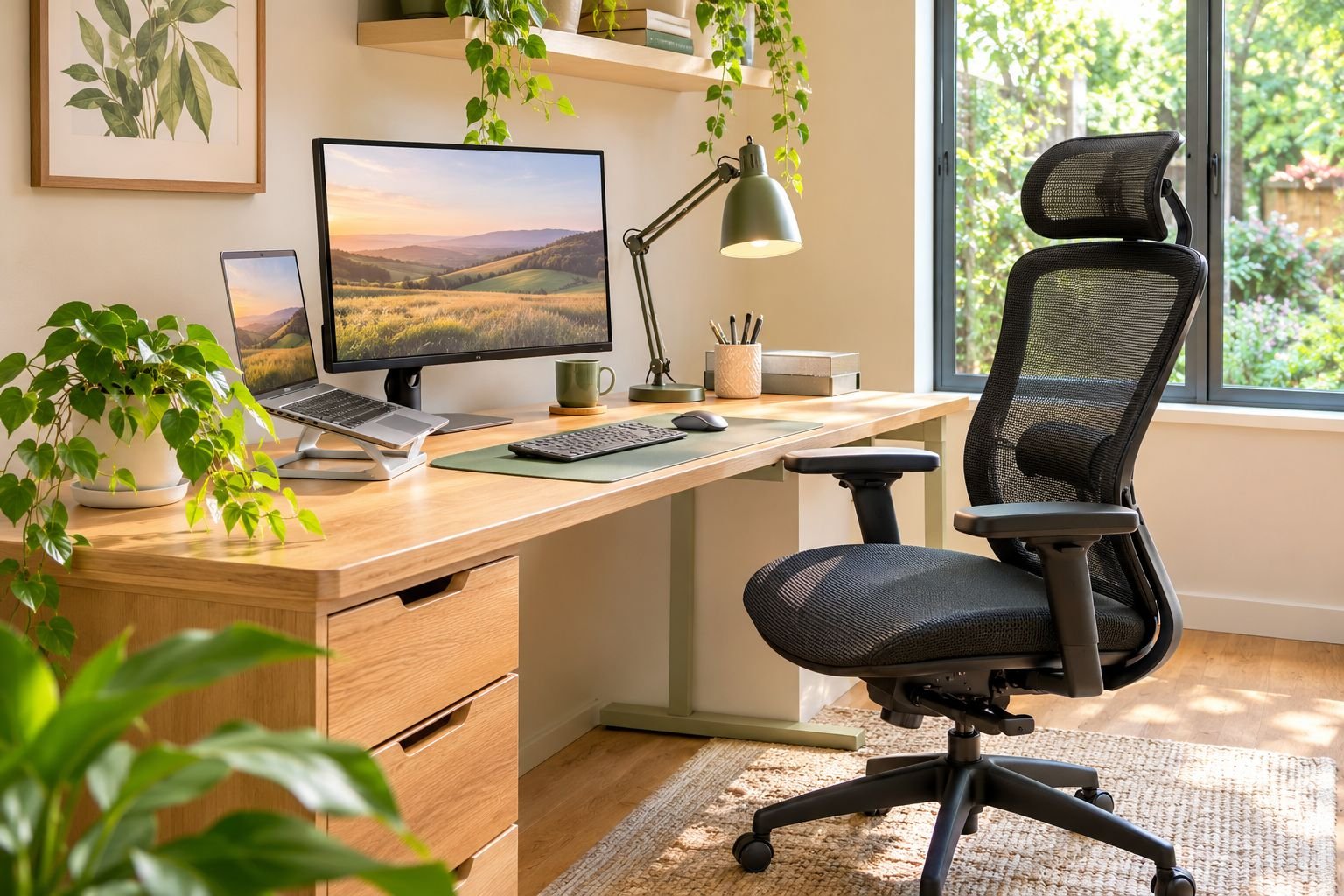
For most home offices, a mid-priced mesh chair with adjustable lumbar support is the best office chair for back support. Our pick is Hbada's ergonomic chair with a 3D lumbar pad that adjusts in height, depth and width. On a budget, the SIHOO M18 has a built-in lumbar curve and more than 17,000 ratings. For long workdays, the Steelcase Leap has a backrest that flexes with your spine, with adjustable lumbar height and firmness. Whatever you buy, set it up properly: feet flat, knees about level with hips, and the lumbar support in the small of your back.
- Adjustable lumbar support is the feature that matters most for back support.
- Adjustability beats padding. The best chair is the one you can fit to your body.
- Setup matters as much as the chair. Adjust seat height, lumbar, armrests and screen together.
- Move often. No chair replaces getting up every 30–60 minutes.
- A chair supports good posture; it doesn't treat back pain. See a health professional if pain persists.
If you work from home, your office chair might be the piece of furniture you use most. A bad one leaves you slumping by lunchtime. A good one supports the natural curve of your lower back and adjusts to fit your body, so long workdays feel noticeably better.
This guide picks the best office chairs for back support at three budgets, explains which features actually matter, and walks you through setting your chair up properly, which most people skip.
All picks were checked on Amazon US and Amazon Australia.
A quick note: a chair can make sitting more comfortable, but it isn’t a treatment for back pain. If you have ongoing or severe pain, talk to a doctor or physiotherapist.
Our picks at a glance
| Feature | Best budgetSIHOO M18 Ergonomic Office Chair | Best overallHbada Ergonomic Office Chair with 3D Lumbar Support | Best premiumSteelcase Leap Office Chair |
|---|---|---|---|
| Best for | A cheap first ergonomic chair for part-time desk work | Full-time home workers who want proper lumbar adjustment without a premium price | Long workdays; a chair built to last 10+ years |
| Price band | Budget | Mid-range | Premium |
| Lumbar support | Built-in (limited adjustment) | Adjustable height, depth and width | Adjustable height and firmness |
| Armrests | Basic | 3D adjustable | 4D adjustable |
| Headrest | Yes | Varies by model | No (add-on) |
| Max weight | 330 lb (150 kg) | — | — |
| Warranty | — | 3 years | — |
| Seat depth | — | — | Adjustable |
| Where to buy | Check price | Check price | Check price |
Best overall: Hbada ergonomic chair with 3D lumbar support
For most home workers, this is the sweet spot. The lumbar pad adjusts in height, depth and width, so you can place it exactly in the small of your back instead of hoping a fixed curve fits. You also get 3D armrests, a breathable mesh back and a 3-year warranty, at a fraction of premium chair prices.
The trade-offs: it has fewer ratings than the budget pick, and Hbada sells several similar models, so check the listing for the exact version and seat size.
Best budget: SIHOO M18
The SIHOO M18 is one of the most popular desk chairs on Amazon, with more than 17,000 ratings in each store. You get a mesh back with a built-in lumbar curve, a headrest, adjustable height and a sturdy five-star base for a low price. It’s a big step up from a dining chair or a basic task chair.
The trade-offs: the lumbar support adjusts only a little, the armrests are basic and the seat is firm for long days. It suits part-time desk work best.
Best premium: Steelcase Leap
The Leap has been a favourite of office ergonomists for years. Its backrest flexes as you move, so it keeps supporting your spine whether you sit upright or lean back, and you can adjust the lumbar height and firmness, seat depth and 4D armrests. It’s built for years of all-day sitting and backed by Steelcase’s long warranty.
The trade-offs: it’s expensive, the fabric seat is warmer than mesh, and there’s no headrest unless you add one.
What makes an office chair good for your back?
| Feature | Why it matters | What to look for |
|---|---|---|
| Lumbar support | Fills the curve of your lower back so you don’t slump | Adjustable height (and ideally depth) |
| Seat height | Lets your feet rest flat with knees near hip level | Gas lift with a wide range |
| Seat depth | Supports your thighs without pressing behind your knees | Sliding seat, or a seat that suits your leg length |
| Backrest | Follows your spine’s natural S-curve | Tall enough to support your whole back |
| Recline and tilt | Lets you change position through the day | Tilt lock and tension control |
| Armrests | Takes weight off your shoulders and neck | Height-adjustable at least |
| Base | Stops tipping | Five legs with casters suited to your floor |
OSHA’s computer workstation guidance says the backrest should follow the natural curve of your spine and give proper lumbar support, ideally with a lumbar support that adjusts in height to fit your lower back.
How to set up your office chair (step by step)
- Seat height first. Sit back and adjust until your feet rest flat on the floor and your knees are about level with your hips. Use a footrest if your desk forces you higher.
- Seat depth. You should fit two or three fingers between the front edge of the seat and the back of your knees.
- Lumbar support. Move it up or down until it sits in the small of your back, just above your belt line. It should feel supportive, not pushy.
- Backrest angle. Sit upright or lean back slightly, around 100–110°, and lock it or set the tension so it supports you.
- Armrests. Lower them until your shoulders are relaxed and your elbows rest lightly at about 90°, level with the desk.
- Screen and keyboard. Put the top of your screen at or slightly below eye level, about an arm’s length away, with the keyboard close enough that your wrists stay straight.
Habits that matter as much as the chair
- Get up every 30–60 minutes. Stand, stretch or walk for a minute or two.
- Sit all the way back so the lumbar support can do its job.
- Change position through the day. Small shifts are good.
- Light your desk well so you aren’t leaning in to see. Our guide to the best floor lamps for reading has good options.
- No lumbar support yet? OSHA suggests a rolled-up towel or a removable back cushion as a temporary fix.
Office chair buying tips
- Check the size range. Seat height, seat width and maximum user weight should all suit you.
- Prioritise adjustments over padding. Thick padding feels nice in the shop but often compresses within a year.
- Mesh for warm rooms. It breathes better than foam and fabric.
- Check the warranty. Good chairs come with multi-year warranties on parts and gas lifts.
- Match the casters to your floor. Soft wheels protect hard floors; standard casters work on carpet, or use a chair mat.
Setting up the rest of your room? See our guides to the best washable rugs and the best floor lamps for the living room.
Common questions
What kind of office chair is best for back support?
A chair with adjustable lumbar support, adjustable seat height and armrests, a backrest that follows the natural curve of your spine, and a stable five-star base. Mesh backs stay cooler for long days.
Is an expensive office chair worth it?
If you sit 6–8 hours a day, a better chair usually pays off in comfort, more adjustments and a longer life and warranty. For part-time desk work, a well-adjusted budget chair can be enough.
Can an office chair fix back pain?
No chair can treat back pain. A supportive, well-adjusted chair can make sitting more comfortable and help you keep a better posture. If you have ongoing or severe pain, see a doctor or physiotherapist.
Where should lumbar support sit on my back?
In the small of your back, the inward curve just above your belt line. It should feel like gentle support filling the gap, not a hard push forward.
How high should my office chair be?
High enough that your feet rest flat on the floor and your knees are roughly level with or slightly below your hips. If your desk is too high for that, raise the chair and use a footrest.
Is a mesh or padded office chair better?
Mesh breathes better and suits warm rooms and long days. Padded or fabric seats feel softer at first. Both can be supportive if the chair adjusts to fit you.
Are gaming chairs good for back support?
Some are, but many rely on loose pillows and fixed bucket seats. A good ergonomic office chair usually offers more useful adjustments for desk work.
What can I do if my current chair has no lumbar support?
Add a lumbar cushion, or place a rolled-up towel in the small of your back. OSHA suggests this as a temporary fix until you can get a chair with proper lumbar support.
Sources
Keep reading

The Best Washable Rugs: Machine-Washable Picks for Pets, Kids and Real Life
The best machine washable rugs for living rooms, kids and pets, plus which sizes fit a home washer and how to wash a rug without ruining it.
The Best Air Fryer Toaster Oven: Combo Picks That Replace Two Appliances
The best air fryer toaster oven combos, how they compare with basket air fryers, what size you need, and which save bench space, with picks for every budget.

The Best Compost Bins: Tumblers, Backyard Bins and Kitchen Caddies
The best compost bins for every yard, tumbler vs open bin explained, what you can and can't compost, and how to keep compost fast, sweet-smelling and rat-free.